iPhone · iOS 17 or later
Your shift schedule, decoded.
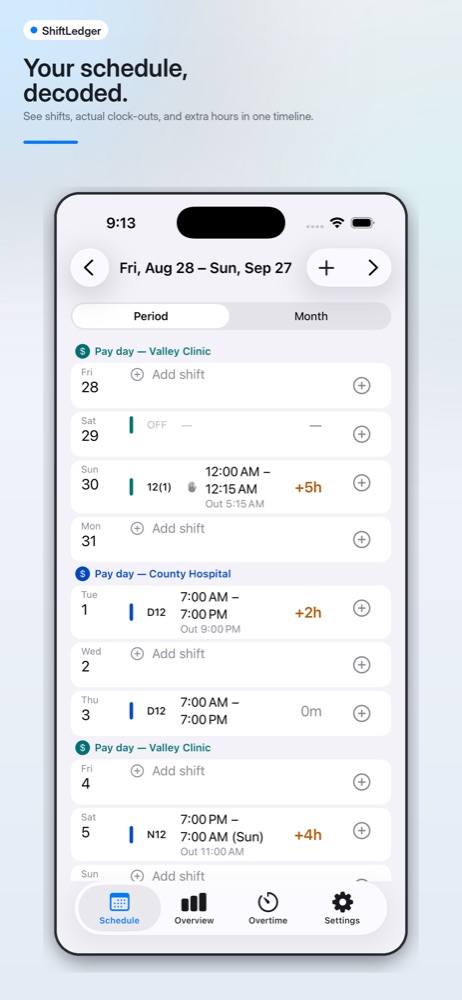
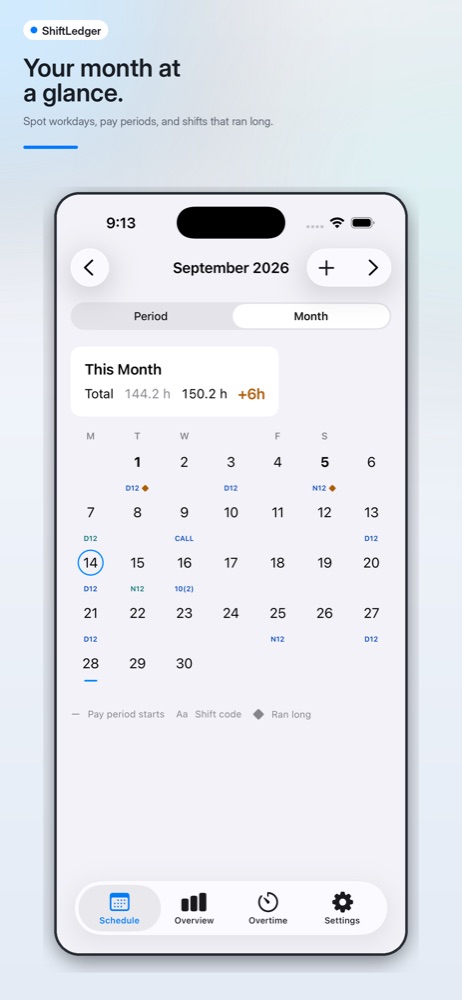
ShiftLedger imports the schedule you already have — a subscribed calendar feed, or the Google, Outlook and iCloud calendars on your iPhone — turns shift codes into real times, and shows you the hours and overtime behind your paycheck.
What it looks like
Every figure below comes from rules you configure — ShiftLedger estimates what you're owed so you can check it against your paystub.
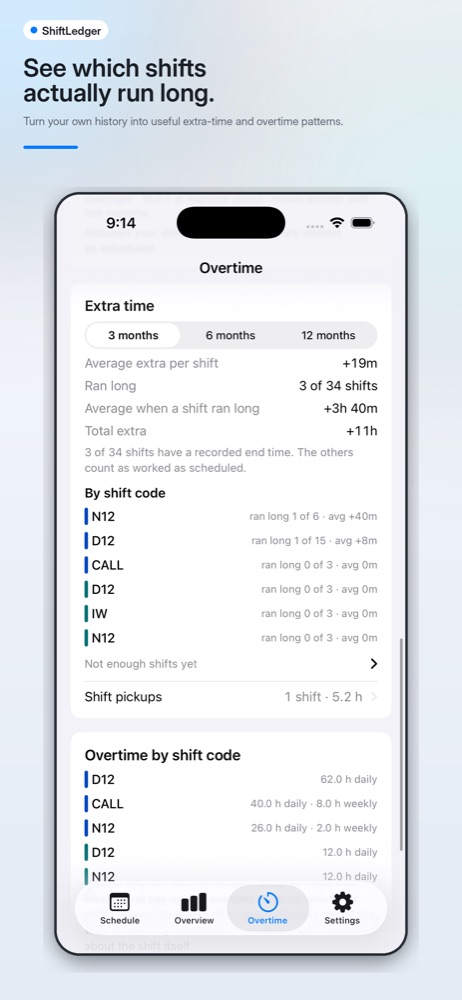
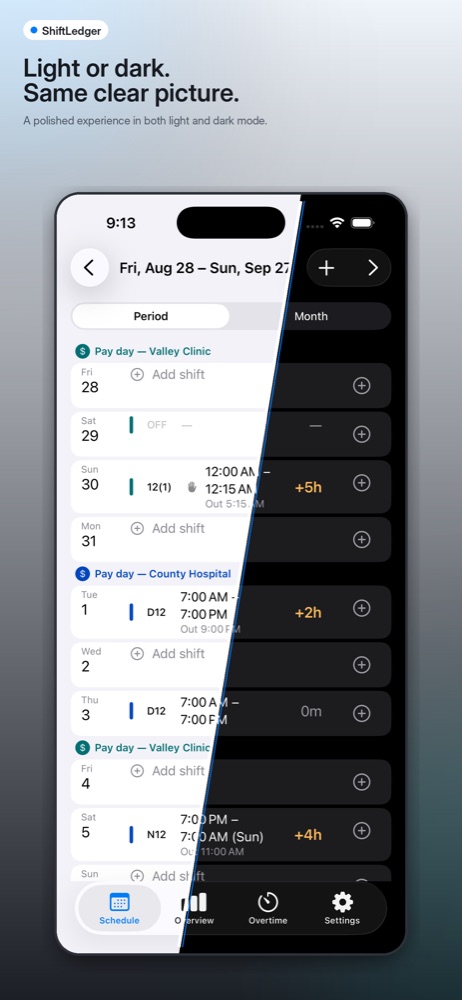
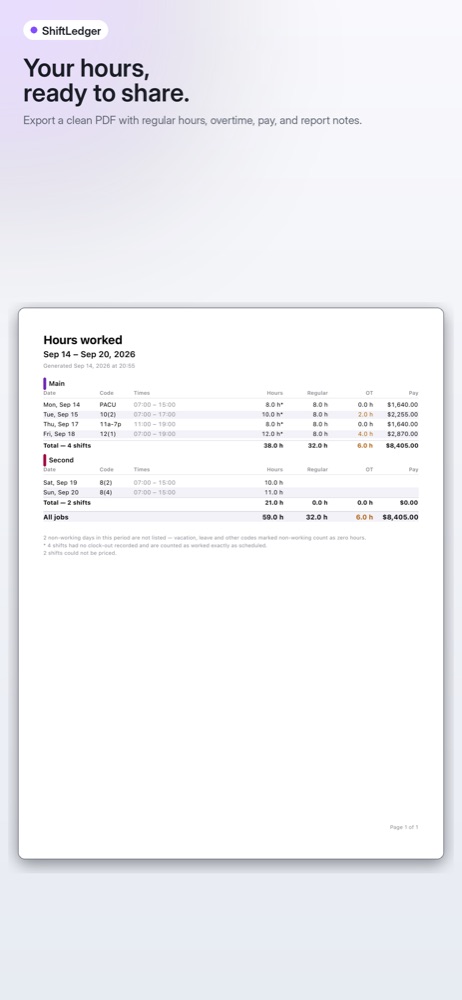
What it does
Built for people whose employer publishes a schedule in codes, not hours.
-
Reads the calendar you already have
Subscribe to a schedule feed by address, or pick calendars already on your iPhone — including Google and Outlook accounts, with no separate sign-in.
-
Turns codes into real times
Schedule systems publish placeholder times on untimed entries. ShiftLedger reads clues out of the event title and proposes a start, duration and job — visible where it happens, and cheap to correct when it guesses wrong.
-
Makes overtime visible
Daily and weekly overtime tiers, differentials, holiday rules and stipends — with a per-shift breakdown of how each figure was reached.
-
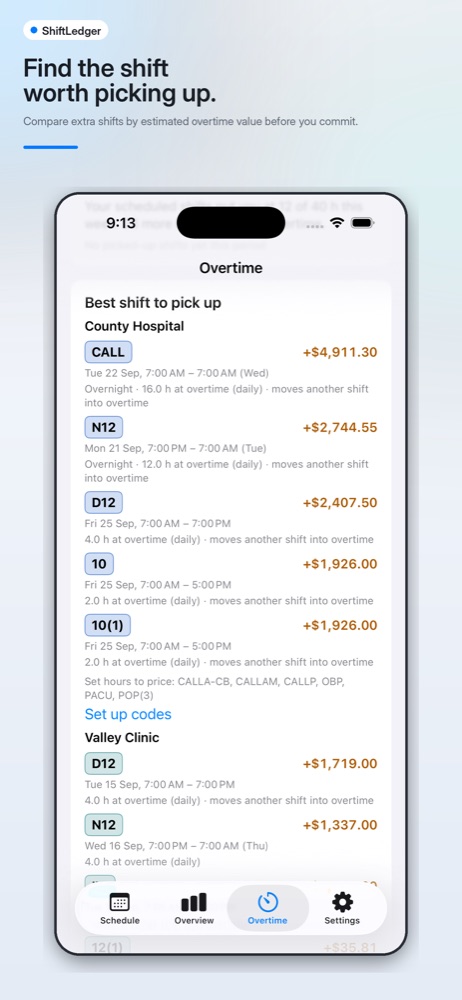
Ranks the shift worth picking up
Compare open shifts by the extra pay they would actually produce given where your week already sits, before you commit to one.
-
Handles more than one job
Separate pay profiles, pay periods, pay days and colours per employer — each priced under its own rules.
-
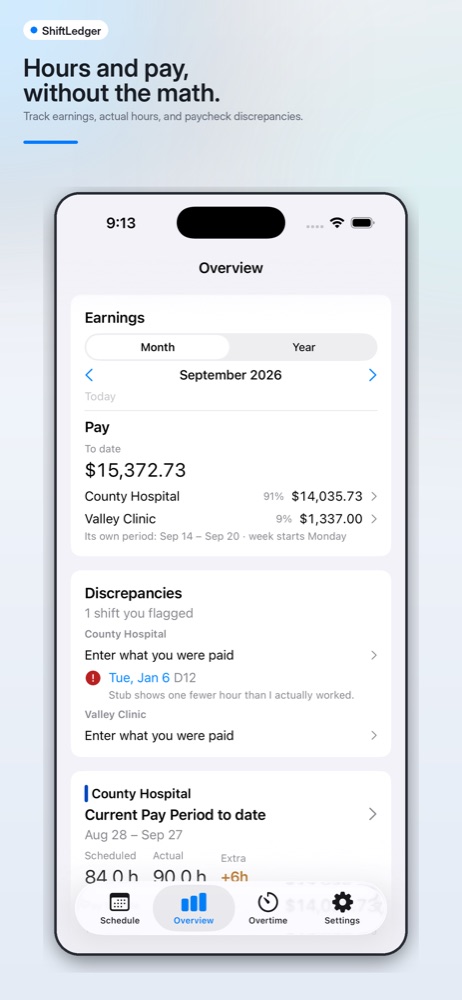
Checks your paycheck
Record what you were actually paid, flag the shifts that disagree, and export a clean PDF or CSV of the hours behind the number.
Pricing
One purchase, on the App Store. Family Sharing is on for both.
$1.99
per month · 14-day free trial
Auto-renewable. Cancel any time in Settings › Apple Account › Subscriptions. The trial converts to paid unless cancelled.
$19.99
once · never expires
A one-time purchase that unlocks everything permanently, on every device signed in to your Apple Account.
Without a subscription, nothing you've entered is locked away. The app stays usable in read-only form: your schedule in both views, every shift's detail, connecting and syncing calendars, backup and restore, and the hours report with CSV export. An expired subscription drops you to read-only — never to nothing.
Where your data lives
There is no server and no account, so there is nothing for the developer to see, lose or sell.
-
On your iPhone
Shifts, notes, job names and your whole pay configuration live in a database on the device. Deleting the app deletes them.
-
Your feed address is a credential
A schedule feed's web address can read your entire schedule, so it is kept in the iOS Keychain only — masked on screen, and never in a database, log, export or error message.
-
Calendars are read, never written
ShiftLedger reads only the calendars you pick, and never creates, edits or deletes an event.
-
Four ways anything leaves
Your calendar host, your own iCloud if you turn the backup mirror on, a file you send through the share sheet, and Apple for purchases. Nothing else.
Read the full Privacy Policy and Terms of Service.
Questions?
Support, bug reports and anything about how the app handles your data: [email protected]